{"features":[{"id":"workout-screen","title":"Logging a Workout","shortDescription":"Tap the checkmark to complete a set. See big reps and weight fields, plates per side, and your last and best results. Swipe between exercises, then finish.","order":5,"category":"Workout","datePublished":"2026-09-27","dateModified":"2026-09-28","screenshots":["workout-screen-overview","workout-screen-next-set"]},{"id":"built-in-programs","title":"Built-in Programs","shortDescription":"About 60 popular programs like GZCLP, 5/3/1, Starting Strength and PHUL. Filter by experience, days a week and goal, preview every day, start with one tap.","order":10,"category":"Programs","datePublished":"2026-09-27","dateModified":"2026-09-28","screenshots":["built-in-programs-library","built-in-programs-info"]},{"id":"exercise-library","title":"Exercises","shortDescription":"Hundreds of built-in exercises with muscle maps. Search, filter by equipment and muscle, swap mid-workout, and open each one's history, records and 1RM.","order":10,"category":"Exercises and equipment","datePublished":"2026-09-27","dateModified":"2026-09-29","screenshots":["exercise-library-picker","exercise-library-stats"]},{"id":"first-run-and-settings","title":"First Run and Settings","shortDescription":"Pick your units, equipment and program on the first run, then tune the Me tab: dark mode, text size, week start, Always On Display and more.","order":10,"category":"Start here","datePublished":"2026-09-27","dateModified":"2026-09-29","screenshots":["first-run-and-settings-welcome","first-run-and-settings-me"]},{"id":"graphs","title":"Graphs","shortDescription":"See max weight, volume and estimated 1RM per exercise, weekly volume per muscle group, and bodyweight. Long-press a point to see the workout behind it.","order":10,"category":"Progress","datePublished":"2026-09-27","dateModified":"2026-09-29","screenshots":["graphs-exercise","graphs-muscle-group"]},{"id":"rest-timer","title":"Rest Timer","shortDescription":"Starts on its own after every set, using the rest time from your program. Adjust it with one tap, on the lock screen, through headphones or on Apple Watch.","order":10,"category":"Workout","datePublished":"2026-09-27","dateModified":"2026-09-28","screenshots":["rest-timer-collapsed","rest-timer-expanded"]},{"id":"sharing-workouts","title":"Sharing Workouts","shortDescription":"Post a finished workout to Instagram Story, Feed or TikTok as an image, share it anywhere, copy it as text or a link, or show it on a public profile page.","order":10,"category":"Sharing and data","datePublished":"2026-09-27","dateModified":"2026-09-29","screenshots":["sharing-workouts-finish-screen","sharing-workouts-share-sheet"]},{"id":"chatgpt-claude-and-ai","title":"Using AI with Liftosaur","shortDescription":"Add Liftosaur to ChatGPT, or connect Claude and Gemini through the MCP server, and ask the assistant to write programs, log workouts and analyze your history.","order":20,"category":"Start here","datePublished":"2026-09-27","dateModified":"2026-09-29","screenshots":["chatgpt-claude-and-ai-autofill"],"headerScreenshots":false},{"id":"custom-exercises","title":"Custom Exercises and Muscle Groups","shortDescription":"Add exercises missing from the built-in list, with muscles, types, notes and an image. Let AI fill the muscles, and split or hide muscle groups.","order":20,"category":"Exercises and equipment","datePublished":"2026-09-27","dateModified":"2026-09-28","screenshots":["custom-exercises-cloned","custom-exercises-muscle-groups"]},{"id":"program-editor","title":"Program Editor","shortDescription":"Build a program on a calendar grid, in a per-day UI, or as Liftoscript text. Edit sets, reps, weight, RPE and timers, and go back to any earlier version.","order":20,"category":"Programs","datePublished":"2026-09-27","dateModified":"2026-09-29","screenshots":["program-editor-grid","program-editor-exercise-sheet"]},{"id":"sharing-programs","title":"Sharing Programs","shortDescription":"Copy a public link to any program, generate an image with a QR code, or grab a private link to edit it on your laptop. Anyone with the link can add it.","order":20,"category":"Sharing and data","datePublished":"2026-09-27","dateModified":"2026-09-28","screenshots":["sharing-programs-menu","sharing-programs-image-preview"]},{"id":"timed-sets","title":"Timed Sets, Intervals and Circuits","shortDescription":"Time the set itself, not only the rest. Planks, carries, EMOM and Tabata get a countdown, a set clock and a recorded time, with auto-advance between rounds.","order":20,"category":"Workout","datePublished":"2026-09-27","dateModified":"2026-09-28","screenshots":["timed-sets-get-ready","timed-sets-running"]},{"id":"week-insights","title":"Week Insights","shortDescription":"See this week's total sets, volume, PRs, strength and hypertrophy split, and sets per muscle group against your target range. Tap a number for details.","order":20,"category":"Progress","datePublished":"2026-09-27","dateModified":"2026-09-29","screenshots":["week-insights-home","week-insights-muscle-groups"]},{"id":"equipment-and-gyms","title":"Equipment, Plates and Gyms","shortDescription":"Tell Liftosaur what bar, plates and fixed weights you have, and it rounds every target weight to what you can load. Keep a separate equipment list for each gym.","order":30,"category":"Exercises and equipment","datePublished":"2026-09-27","dateModified":"2026-09-29","screenshots":["equipment-and-gyms-barbell","equipment-and-gyms-gyms"]},{"id":"import-export","title":"Import and Export","shortDescription":"Import workout history from Hevy or a CSV file, with a preview and undo. Export everything as JSON, your history as CSV, or your programs as text.","order":30,"category":"Sharing and data","datePublished":"2026-09-27","dateModified":"2026-09-28","screenshots":["import-export-export","import-export-import"]},{"id":"liftoscript","title":"Liftoscript","shortDescription":"Write a program as text: one line per exercise with sets, reps, weight, 1RM percentages and RPE. Split it into weeks and days, and reuse lines.","order":30,"category":"Programs","datePublished":"2026-09-27","dateModified":"2026-09-28","screenshots":["liftoscript-exercise-sheet","liftoscript-full-program"]},{"id":"measurements","title":"Measurements, Sleep and Nutrition","shortDescription":"Log bodyweight, body fat and 13 body sites, with a moving average graph, and see sleep, calories and protein from Apple Health or Health Connect.","order":30,"category":"Progress","datePublished":"2026-09-27","dateModified":"2026-09-28","screenshots":["measurements-bodyweight","measurements-moving-average"]},{"id":"premium","title":"Premium","shortDescription":"One subscription unlocks plates per side, graphs, muscle views, Week Insights, the Apple Watch app and the API. Monthly, yearly or lifetime.","order":30,"category":"Start here","datePublished":"2026-09-27","dateModified":"2026-09-29","screenshots":["premium-plans","premium-account"]},{"id":"set-types","title":"AMRAP, RPE, Ask-Weight and Unilateral Sets","shortDescription":"Add a + in your program and the app asks what you did: AMRAP reps, RPE, the weight lifted, or a progression value. Unilateral sets track reps per side.","order":30,"category":"Workout","datePublished":"2026-09-27","dateModified":"2026-09-28","screenshots":["set-types-amrap-popup","set-types-per-side"]},{"id":"health-sync","title":"Apple Health and Health Connect","shortDescription":"Send finished workouts and body measurements to Apple Health or Health Connect, and read bodyweight, body fat, sleep, calories and protein back into the app.","order":40,"category":"Progress","datePublished":"2026-09-27","dateModified":"2026-09-28","screenshots":["health-sync-settings","health-sync-share"]},{"id":"progressions","title":"Progressions and State","shortDescription":"Tell the app how to add weight or reps over time. Pick a built-in linear, double or sum-of-reps progression, or write your own script with state variables.","order":40,"category":"Programs","datePublished":"2026-09-27","dateModified":"2026-09-29","screenshots":["progressions-preview","progressions-linear-settings"]},{"id":"supersets","title":"Supersets","shortDescription":"Group two or more exercises, and the workout screen moves to the next one after every set. Set the groups in the program text, the editor or the workout.","order":40,"category":"Workout","datePublished":"2026-09-27","dateModified":"2026-09-28","screenshots":["supersets-workout","supersets-next-exercise"]},{"id":"sync-and-offline","title":"Sync and Offline","shortDescription":"Sign in once and your workouts, programs and settings follow you across iOS, Android and web. Train offline and sync when you are back online.","order":40,"category":"Sharing and data","datePublished":"2026-09-27","dateModified":"2026-09-28","screenshots":["sync-and-offline-me-account","sync-and-offline-account"]},{"id":"account","title":"Account and Sign-in","shortDescription":"Sign in with Apple, Google or email to sync workouts, share links and keep Premium on every device. Keep several local accounts on one phone.","order":50,"category":"Sharing and data","datePublished":"2026-09-27","dateModified":"2026-09-28","screenshots":["account-screen","account-sign-in"]},{"id":"changing-a-workout","title":"Changing Today's Workout","shortDescription":"Swap, add or remove exercises mid-workout, train without a program, turn an ad-hoc workout into a program day, or edit the program day from the workout.","order":50,"category":"Workout","datePublished":"2026-09-27","dateModified":"2026-09-28","screenshots":["changing-a-workout-next-workout","changing-a-workout-pick-day"],"headerScreenshots":false},{"id":"playground","title":"Playground","shortDescription":"Simulate workouts to see how weights, reps and state variables change from week to week. Nothing you do there touches your history, settings or program.","order":50,"category":"Programs","datePublished":"2026-09-27","dateModified":"2026-09-28","screenshots":["playground-day","playground-finished"]},{"id":"web-editor","title":"Editing on Desktop","shortDescription":"Write your program in a browser with a full keyboard, autocomplete and weekly volume stats, then send it to the phone with one link.","order":60,"category":"Programs","datePublished":"2026-09-27","dateModified":"2026-09-29","screenshots":[]},{"id":"workout-history","title":"History and Calendar","shortDescription":"Every finished workout is a card on the Home tab, under a week strip and a month calendar. Open a past one to fix sets, move it, add a note or delete it.","order":60,"category":"Workout","datePublished":"2026-09-27","dateModified":"2026-09-29","screenshots":["workout-history-feed","workout-history-month-calendar"]},{"id":"api","title":"API","shortDescription":"Create an API key in the app, then read and write programs, history, measurements and equipment from any script. Run whole workouts through the engine.","order":70,"category":"Sharing and data","datePublished":"2026-09-27","dateModified":"2026-09-29","screenshots":["api-me-row","api-keys-empty"]},{"id":"lock-screen-and-notifications","title":"Lock Screen, Notifications and Audio","shortDescription":"Complete sets and adjust rest from the iOS Live Activity, Dynamic Island or Android Live Update, and get a notification with the next set and plates.","order":70,"category":"Workout","datePublished":"2026-09-27","dateModified":"2026-09-28","screenshots":["lock-screen-and-notifications-live-activity","lock-screen-and-notifications-sound"]},{"id":"apple-watch","title":"Apple Watch","shortDescription":"Run your workout from your wrist. Log sets with the Digital Crown, answer AMRAP and RPE prompts, run timed sets and see your heart rate.","order":80,"category":"Workout","datePublished":"2026-09-27","dateModified":"2026-09-28","screenshots":["watch-apple-watch-exercise","watch-apple-watch-get-ready"]}],"sizes":{"account/account-email-form":{"width":600,"height":1304},"account/account-forgot-password":{"width":600,"height":1304},"account/account-screen":{"width":600,"height":1304},"account/account-sign-in":{"width":600,"height":1304},"chatgpt-claude-and-ai/chatgpt-claude-and-ai-autofill":{"width":600,"height":1304},"api/api-key-created":{"width":600,"height":1304},"api/api-keys-empty":{"width":600,"height":1304},"api/api-me-row":{"width":600,"height":1304},"apple-watch/apple-watch-health-settings":{"width":600,"height":1304},"apple-watch/watch-apple-watch-amrap":{"width":416,"height":496},"apple-watch/watch-apple-watch-crown":{"width":416,"height":496},"apple-watch/watch-apple-watch-exercise":{"width":416,"height":496},"apple-watch/watch-apple-watch-get-ready":{"width":416,"height":496},"apple-watch/watch-apple-watch-home":{"width":416,"height":496},"apple-watch/watch-apple-watch-set-clock":{"width":416,"height":496},"apple-watch/watch-apple-watch-workout":{"width":416,"height":496},"built-in-programs/built-in-programs-import":{"width":600,"height":1304},"built-in-programs/built-in-programs-info":{"width":600,"height":1304},"built-in-programs/built-in-programs-library":{"width":600,"height":1304},"built-in-programs/built-in-programs-preview":{"width":600,"height":1304},"built-in-programs/built-in-programs-started":{"width":600,"height":1304},"changing-a-workout/changing-a-workout-adhoc":{"width":600,"height":1304},"changing-a-workout/changing-a-workout-adhoc-picker":{"width":600,"height":1304},"changing-a-workout/changing-a-workout-create-program-day":{"width":600,"height":1304},"changing-a-workout/changing-a-workout-edit-day":{"width":600,"height":1304},"changing-a-workout/changing-a-workout-edit-exercise":{"width":600,"height":1304},"changing-a-workout/changing-a-workout-next-workout":{"width":600,"height":1304},"changing-a-workout/changing-a-workout-pick-day":{"width":600,"height":1304},"changing-a-workout/changing-a-workout-program-day":{"width":600,"height":1304},"changing-a-workout/changing-a-workout-swap-adhoc":{"width":600,"height":1304},"changing-a-workout/changing-a-workout-swap-from-program":{"width":600,"height":1304},"changing-a-workout/changing-a-workout-swap-recent":{"width":600,"height":1304},"custom-exercises/custom-exercises-autofill":{"width":600,"height":1304},"custom-exercises/custom-exercises-clone-library":{"width":600,"height":1304},"custom-exercises/custom-exercises-cloned":{"width":600,"height":1304},"custom-exercises/custom-exercises-form":{"width":600,"height":1304},"custom-exercises/custom-exercises-hidden-group":{"width":600,"height":1304},"custom-exercises/custom-exercises-image-library":{"width":600,"height":1304},"custom-exercises/custom-exercises-image-source":{"width":600,"height":1304},"custom-exercises/custom-exercises-in-workout":{"width":600,"height":1304},"custom-exercises/custom-exercises-muscle-groups":{"width":600,"height":1304},"custom-exercises/custom-exercises-picker":{"width":600,"height":1304},"custom-exercises/custom-exercises-target-muscles":{"width":600,"height":1304},"equipment-and-gyms/equipment-and-gyms-barbell":{"width":600,"height":1304},"equipment-and-gyms/equipment-and-gyms-custom":{"width":600,"height":1304},"equipment-and-gyms/equipment-and-gyms-exercise":{"width":600,"height":1304},"equipment-and-gyms/equipment-and-gyms-fixed":{"width":600,"height":1304},"equipment-and-gyms/equipment-and-gyms-gyms":{"width":600,"height":1304},"equipment-and-gyms/equipment-and-gyms-hidden":{"width":600,"height":1304},"equipment-and-gyms/equipment-and-gyms-list":{"width":600,"height":1304},"exercise-library/exercise-library-calculator":{"width":600,"height":1304},"exercise-library/exercise-library-from-program":{"width":600,"height":1304},"exercise-library/exercise-library-list":{"width":600,"height":1304},"exercise-library/exercise-library-multi-add":{"width":600,"height":1304},"exercise-library/exercise-library-override-muscles":{"width":600,"height":1304},"exercise-library/exercise-library-picker":{"width":600,"height":1304},"exercise-library/exercise-library-prs":{"width":600,"height":1304},"exercise-library/exercise-library-search":{"width":600,"height":1304},"exercise-library/exercise-library-stats":{"width":600,"height":1304},"exercise-library/exercise-library-swap":{"width":600,"height":1304},"graphs/graphs-bodyweight":{"width":600,"height":1304},"graphs/graphs-choose":{"width":600,"height":1304},"graphs/graphs-exercise":{"width":600,"height":1304},"graphs/graphs-legend":{"width":600,"height":1304},"graphs/graphs-muscle-group":{"width":600,"height":1304},"graphs/graphs-personal-records":{"width":600,"height":1304},"graphs/graphs-settings":{"width":600,"height":1304},"health-sync/android-health-sync-measurements":{"width":600,"height":1339},"health-sync/android-health-sync-settings":{"width":600,"height":1339},"health-sync/android-health-sync-share":{"width":600,"height":1339},"health-sync/android-health-sync-sleep-nutrition":{"width":600,"height":1339},"health-sync/health-sync-measurements":{"width":600,"height":1304},"health-sync/health-sync-settings":{"width":600,"height":1304},"health-sync/health-sync-share":{"width":600,"height":1304},"health-sync/health-sync-sleep-nutrition":{"width":600,"height":1304},"import-export/import-export-export":{"width":600,"height":1304},"import-export/import-export-hevy":{"width":600,"height":1304},"import-export/import-export-import":{"width":600,"height":1304},"liftoscript/liftoscript-exercise-sheet":{"width":600,"height":1304},"liftoscript/liftoscript-full-program":{"width":600,"height":1304},"liftoscript/liftoscript-per-day":{"width":600,"height":1304},"liftoscript/liftoscript-playground":{"width":600,"height":1304},"lock-screen-and-notifications/android-lock-screen-and-notifications-live-update":{"width":600,"height":1339},"lock-screen-and-notifications/android-lock-screen-and-notifications-reminder":{"width":600,"height":1339},"lock-screen-and-notifications/android-lock-screen-and-notifications-sound":{"width":600,"height":1339},"lock-screen-and-notifications/lock-screen-and-notifications-dynamic-island":{"width":600,"height":1304},"lock-screen-and-notifications/lock-screen-and-notifications-live-activity":{"width":600,"height":1304},"lock-screen-and-notifications/lock-screen-and-notifications-reminder":{"width":600,"height":1304},"lock-screen-and-notifications/lock-screen-and-notifications-sound":{"width":600,"height":1304},"measurements/measurements-add":{"width":600,"height":1304},"measurements/measurements-bodyweight":{"width":600,"height":1304},"measurements/measurements-moving-average":{"width":600,"height":1304},"measurements/measurements-sleep-nutrition":{"width":600,"height":1304},"measurements/measurements-types":{"width":600,"height":1304},"first-run-and-settings/first-run-and-settings-appearance":{"width":600,"height":1304},"first-run-and-settings/first-run-and-settings-dark-mode":{"width":600,"height":1304},"first-run-and-settings/first-run-and-settings-equipment":{"width":600,"height":1304},"first-run-and-settings/first-run-and-settings-me":{"width":600,"height":1304},"first-run-and-settings/first-run-and-settings-units":{"width":600,"height":1304},"first-run-and-settings/first-run-and-settings-welcome":{"width":600,"height":1304},"playground/playground-completed":{"width":600,"height":1304},"playground/playground-day":{"width":600,"height":1304},"playground/playground-finished":{"width":600,"height":1304},"playground/playground-variables":{"width":600,"height":1304},"premium/premium-account":{"width":600,"height":1304},"premium/premium-feature-info":{"width":600,"height":1304},"premium/premium-plans":{"width":600,"height":1304},"program-editor/program-editor-create":{"width":600,"height":1304},"program-editor/program-editor-day-details":{"width":600,"height":1304},"program-editor/program-editor-exercise-sheet":{"width":600,"height":1304},"program-editor/program-editor-full-text":{"width":600,"height":1304},"program-editor/program-editor-grid":{"width":600,"height":1304},"program-editor/program-editor-perday-text":{"width":600,"height":1304},"program-editor/program-editor-ui-mode":{"width":600,"height":1304},"program-editor/program-editor-week-stats":{"width":600,"height":1304},"progressions/progressions-linear-settings":{"width":600,"height":1304},"progressions/progressions-preview":{"width":600,"height":1304},"progressions/progressions-state-variables":{"width":600,"height":1304},"progressions/progressions-suppressed":{"width":600,"height":1304},"rest-timer/rest-timer-collapsed":{"width":600,"height":1304},"rest-timer/rest-timer-dynamic-island":{"width":600,"height":1304},"rest-timer/rest-timer-expanded":{"width":600,"height":1304},"rest-timer/rest-timer-get-ready":{"width":600,"height":1304},"rest-timer/rest-timer-lock-screen":{"width":600,"height":1304},"rest-timer/rest-timer-settings":{"width":600,"height":1304},"rest-timer/rest-timer-sound":{"width":600,"height":1304},"rest-timer/watch-rest-timer":{"width":416,"height":496},"rest-timer/watch-rest-timer-exercise":{"width":416,"height":496},"set-types/set-types-amrap-popup":{"width":600,"height":1304},"set-types/set-types-per-side":{"width":600,"height":1304},"set-types/set-types-rpe-logged":{"width":600,"height":1304},"set-types/set-types-rpe-popup":{"width":600,"height":1304},"sharing-programs/sharing-programs-export-text":{"width":600,"height":1304},"sharing-programs/sharing-programs-image-preview":{"width":600,"height":1304},"sharing-programs/sharing-programs-image-settings":{"width":600,"height":1304},"sharing-programs/sharing-programs-import":{"width":600,"height":1304},"sharing-programs/sharing-programs-menu":{"width":600,"height":1304},"sharing-programs/sharing-programs-private-link":{"width":600,"height":1304},"sharing-programs/sharing-programs-public-link":{"width":600,"height":1304},"sharing-workouts/sharing-workouts-copied-text":{"width":600,"height":1304},"sharing-workouts/sharing-workouts-finish-screen":{"width":600,"height":1304},"sharing-workouts/sharing-workouts-profile-settings":{"width":600,"height":1304},"sharing-workouts/sharing-workouts-share-sheet":{"width":600,"height":1304},"sharing-workouts/sharing-workouts-story-preview":{"width":600,"height":1304},"supersets/supersets-liftoscript":{"width":600,"height":1304},"supersets/supersets-next-exercise":{"width":600,"height":1304},"supersets/supersets-picker":{"width":600,"height":1304},"supersets/supersets-program-editor":{"width":600,"height":1304},"supersets/supersets-timer":{"width":600,"height":1304},"supersets/supersets-workout":{"width":600,"height":1304},"sync-and-offline/sync-and-offline-account":{"width":600,"height":1304},"sync-and-offline/sync-and-offline-me-account":{"width":600,"height":1304},"sync-and-offline/sync-and-offline-sign-in":{"width":600,"height":1304},"timed-sets/timed-sets-count-up":{"width":600,"height":1304},"timed-sets/timed-sets-edit-time":{"width":600,"height":1304},"timed-sets/timed-sets-get-ready":{"width":600,"height":1304},"timed-sets/timed-sets-recorded":{"width":600,"height":1304},"timed-sets/timed-sets-running":{"width":600,"height":1304},"timed-sets/timed-sets-set-row":{"width":600,"height":1304},"timed-sets/timed-sets-timers":{"width":600,"height":1304},"week-insights/week-insights-details":{"width":600,"height":1304},"week-insights/week-insights-edit-muscle-groups":{"width":600,"height":1304},"week-insights/week-insights-exercises":{"width":600,"height":1304},"week-insights/week-insights-home":{"width":600,"height":1304},"week-insights/week-insights-muscle-groups":{"width":600,"height":1304},"week-insights/week-insights-settings":{"width":600,"height":1304},"workout-history/workout-history-change-date":{"width":600,"height":1304},"workout-history/workout-history-delete":{"width":600,"height":1304},"workout-history/workout-history-feed":{"width":600,"height":1304},"workout-history/workout-history-menu":{"width":600,"height":1304},"workout-history/workout-history-month-calendar":{"width":600,"height":1304},"workout-history/workout-history-note-on-card":{"width":600,"height":1304},"workout-history/workout-history-notes":{"width":600,"height":1304},"workout-history/workout-history-past-card":{"width":600,"height":1304},"workout-history/workout-history-past-workout":{"width":600,"height":1304},"workout-history/workout-history-week-insights":{"width":600,"height":1304},"workout-screen/workout-screen-e1rm":{"width":600,"height":1304},"workout-screen/workout-screen-edit-target":{"width":600,"height":1304},"workout-screen/workout-screen-exercise-menu":{"width":600,"height":1304},"workout-screen/workout-screen-exercise-notes":{"width":600,"height":1304},"workout-screen/workout-screen-history":{"width":600,"height":1304},"workout-screen/workout-screen-keypad":{"width":600,"height":1304},"workout-screen/workout-screen-next-set":{"width":600,"height":1304},"workout-screen/workout-screen-overview":{"width":600,"height":1304},"workout-screen/workout-screen-rounding":{"width":600,"height":1304},"workout-screen/workout-screen-summary":{"width":600,"height":1304}}}
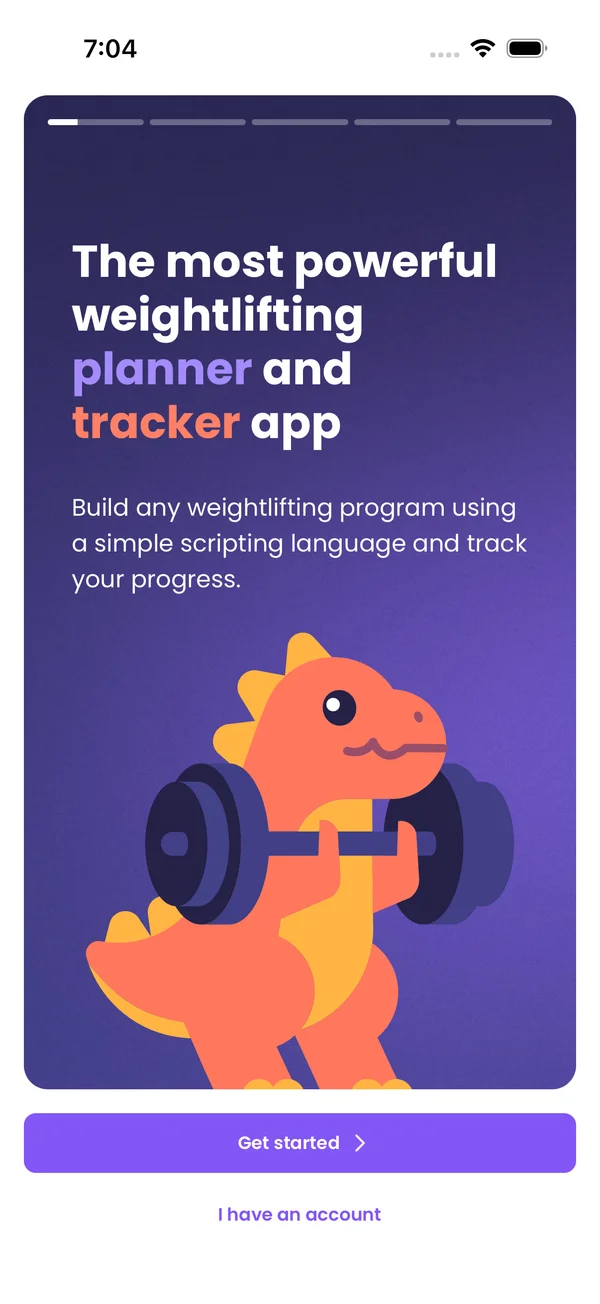 First Run and SettingsPick your units, equipment and program on the first run, then tune the Me tab: dark mode, text size, week start, Always On Display and more.
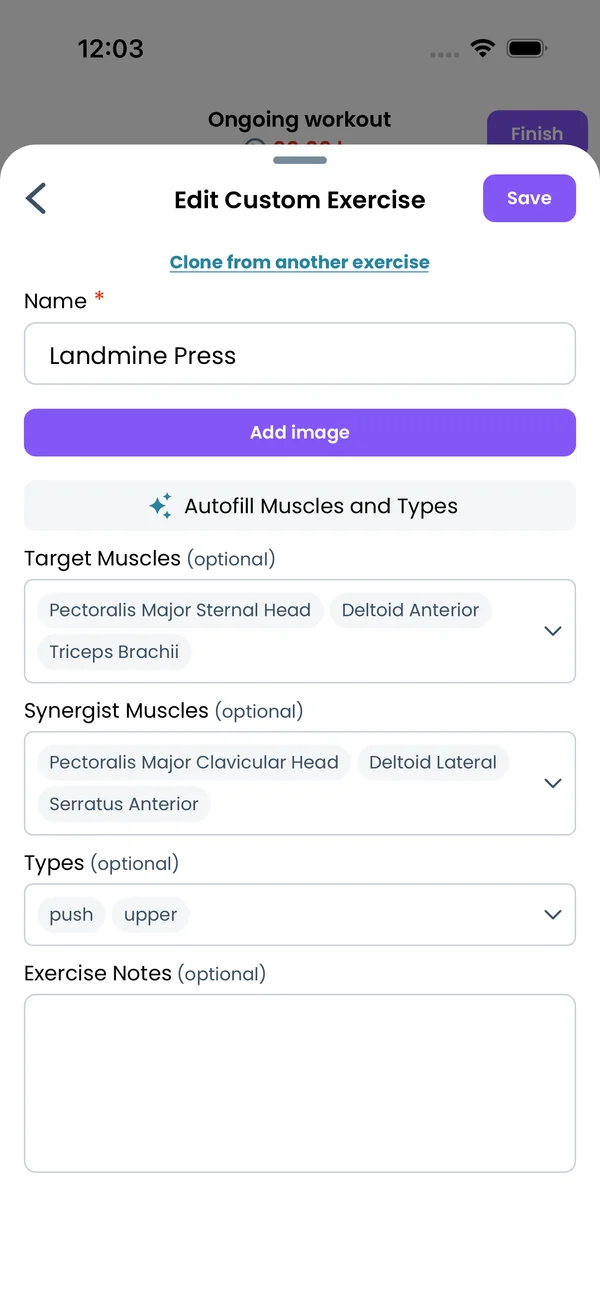 Using AI with LiftosaurAdd Liftosaur to ChatGPT, or connect Claude and Gemini through the MCP server, and ask the assistant to write programs, log workouts and analyze your history.
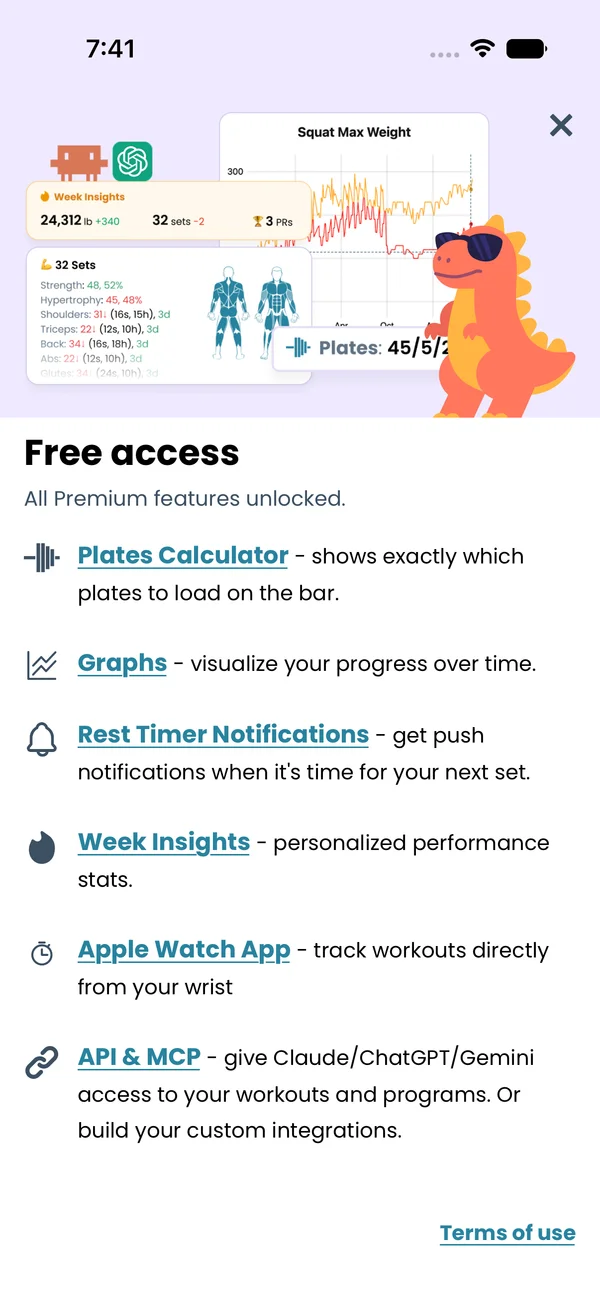 PremiumOne subscription unlocks plates per side, graphs, muscle views, Week Insights, the Apple Watch app and the API. Monthly, yearly or lifetime.
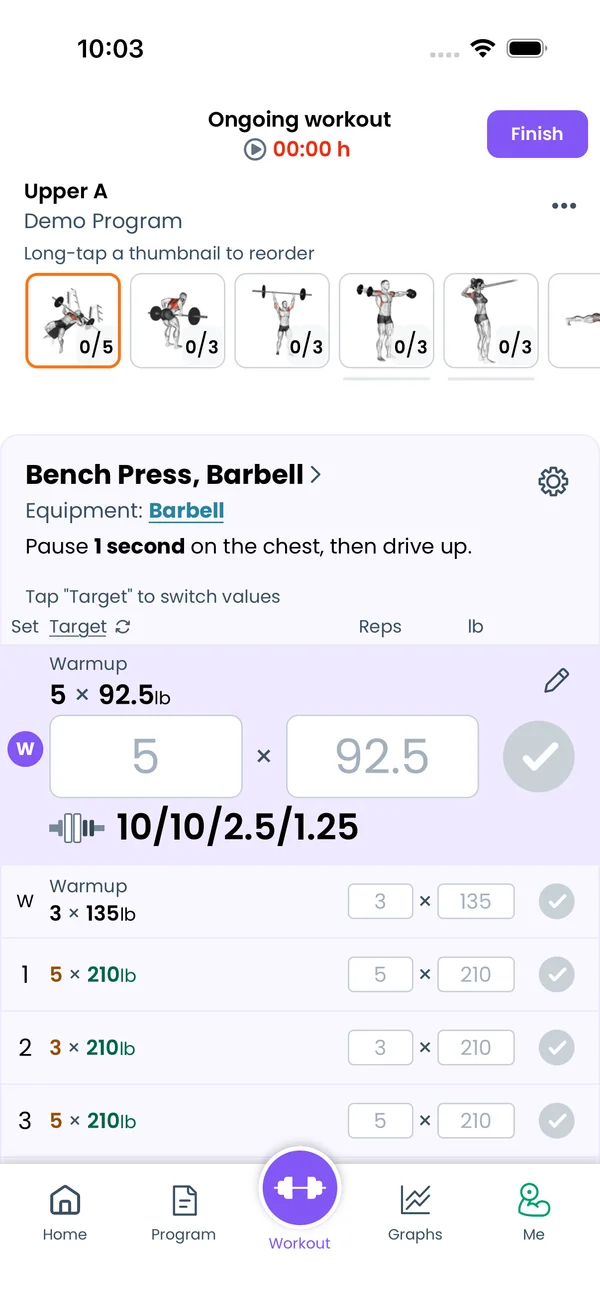 Logging a WorkoutTap the checkmark to complete a set. See big reps and weight fields, plates per side, and your last and best results. Swipe between exercises, then finish.
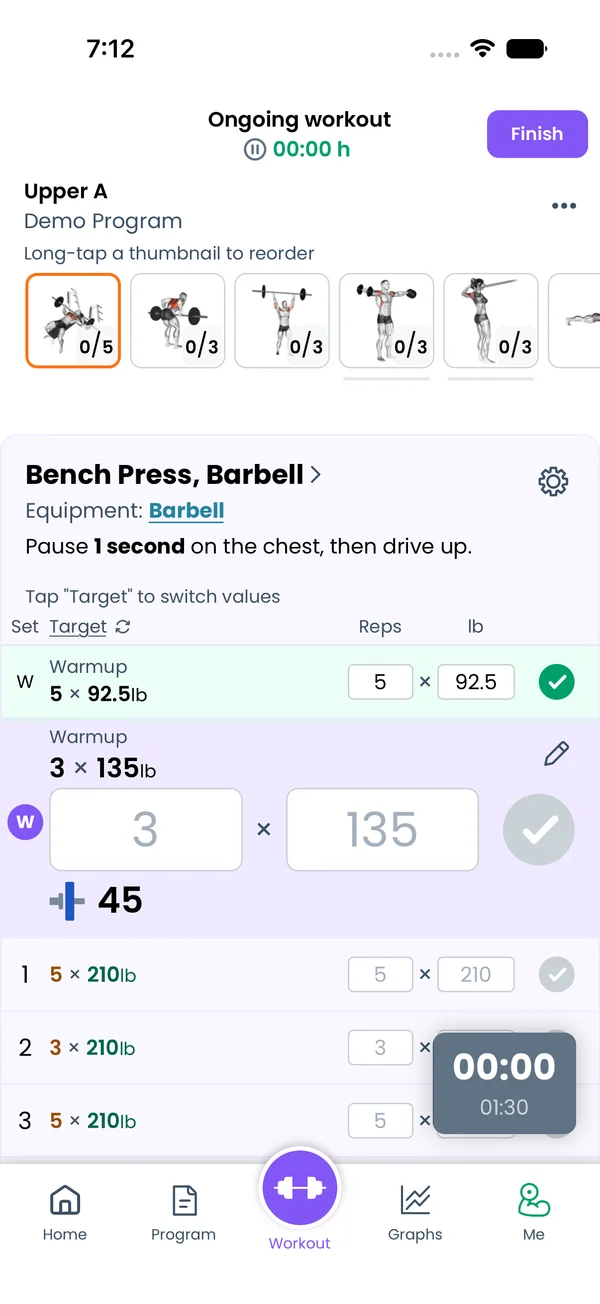 Rest TimerStarts on its own after every set, using the rest time from your program. Adjust it with one tap, on the lock screen, through headphones or on Apple Watch.
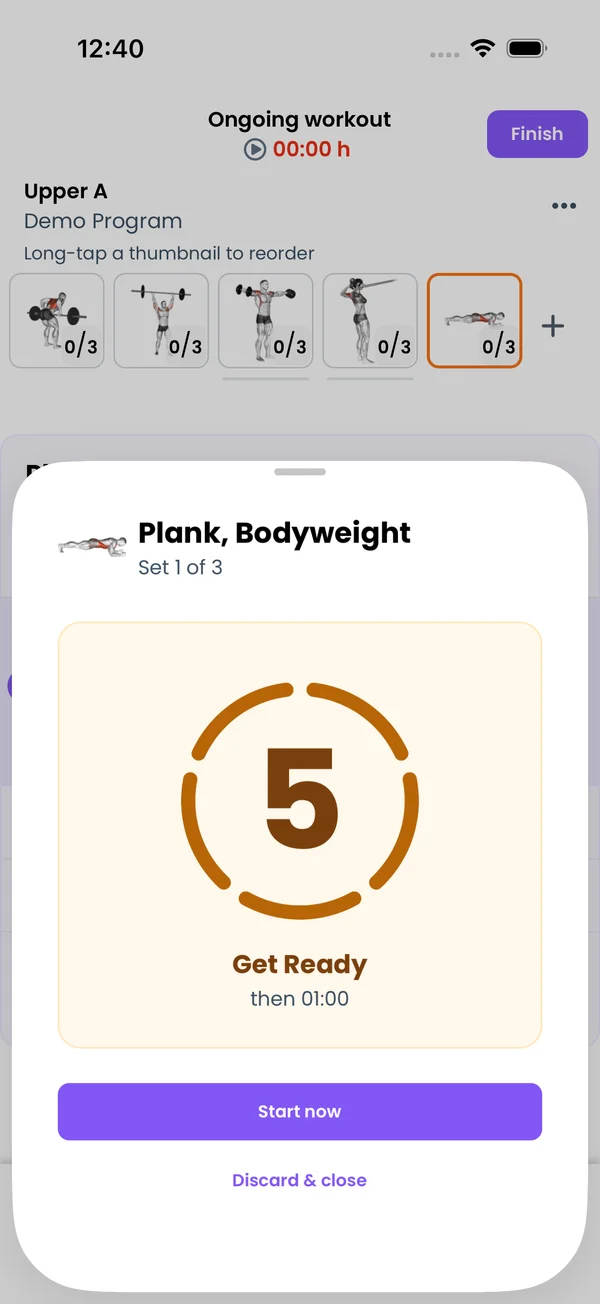 Timed Sets, Intervals and CircuitsTime the set itself, not only the rest. Planks, carries, EMOM and Tabata get a countdown, a set clock and a recorded time, with auto-advance between rounds.
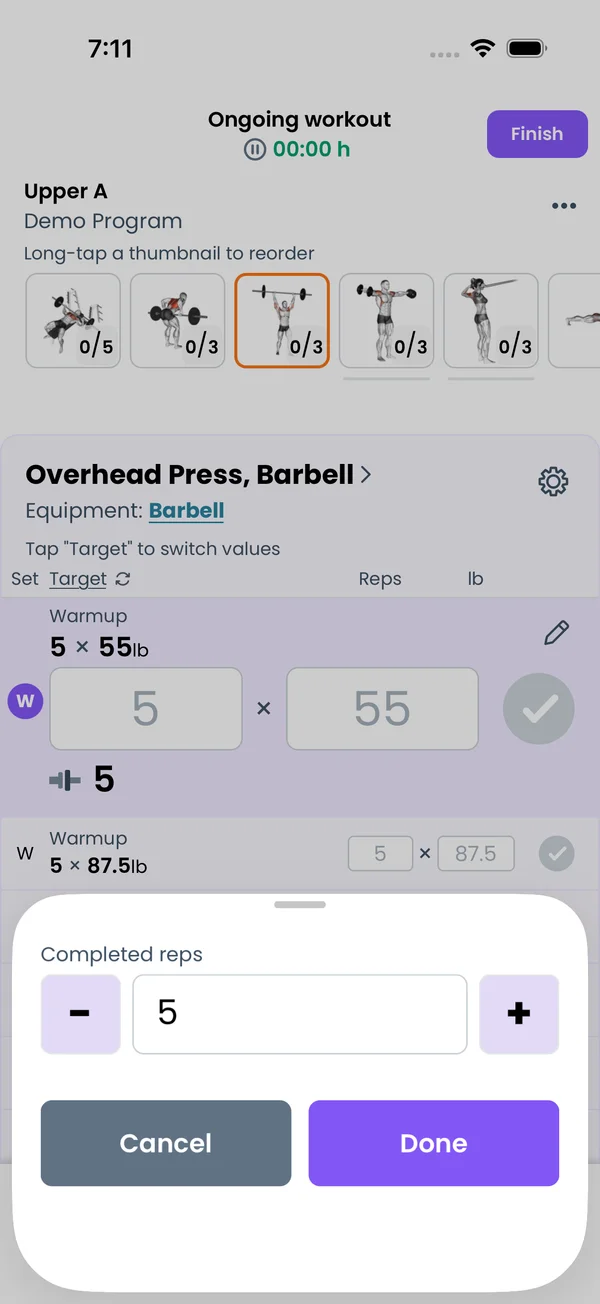 AMRAP, RPE, Ask-Weight and Unilateral SetsAdd a + in your program and the app asks what you did: AMRAP reps, RPE, the weight lifted, or a progression value. Unilateral sets track reps per side.
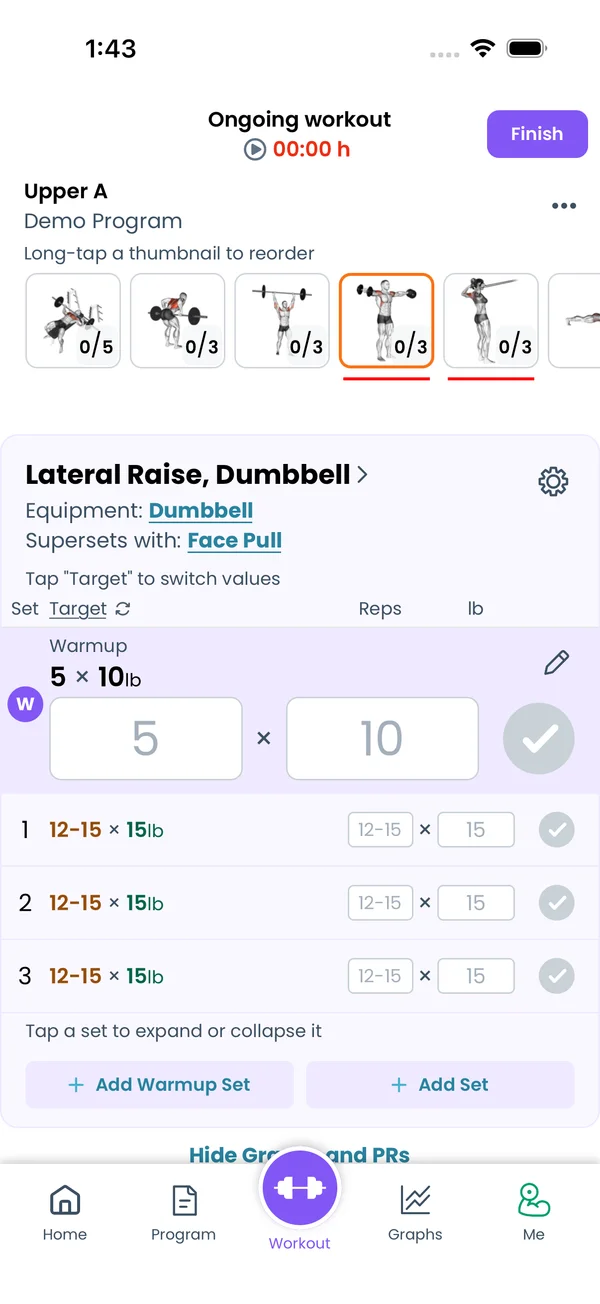 SupersetsGroup two or more exercises, and the workout screen moves to the next one after every set. Set the groups in the program text, the editor or the workout.
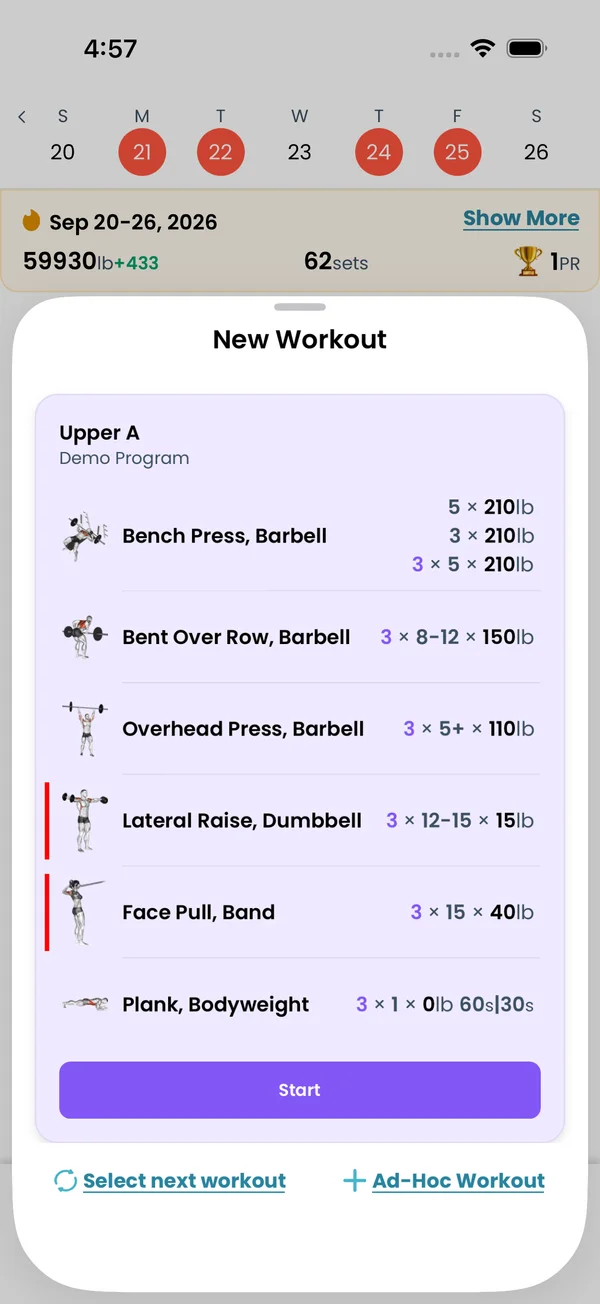 Changing Today's WorkoutSwap, add or remove exercises mid-workout, train without a program, turn an ad-hoc workout into a program day, or edit the program day from the workout.
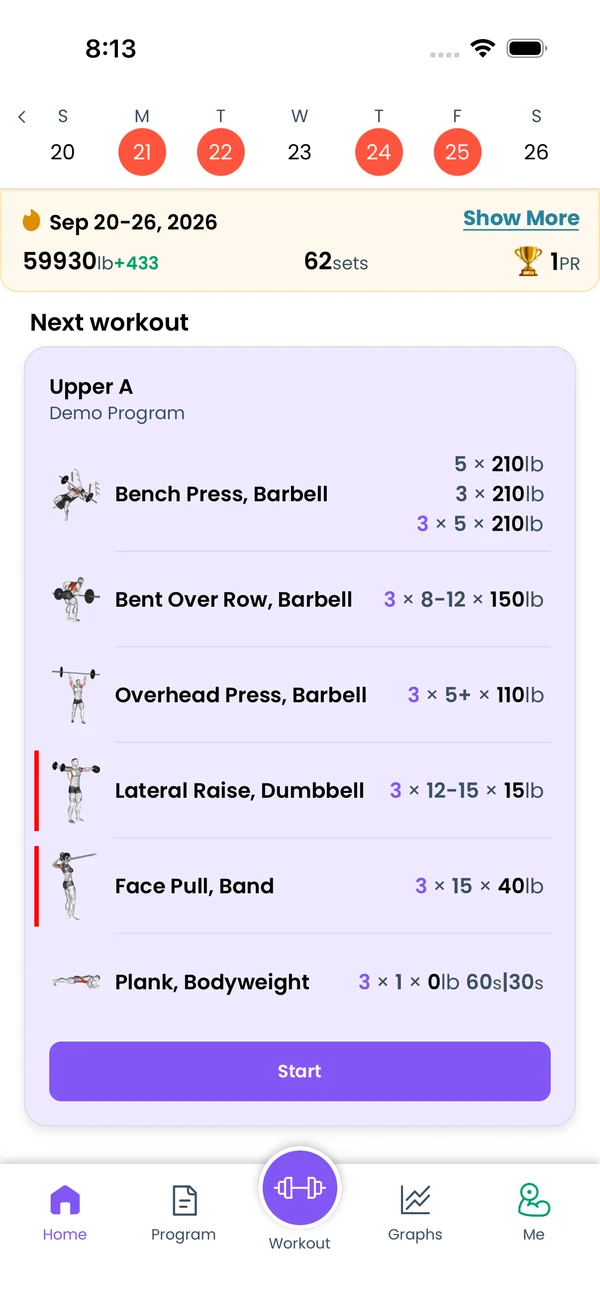 History and CalendarEvery finished workout is a card on the Home tab, under a week strip and a month calendar. Open a past one to fix sets, move it, add a note or delete it.
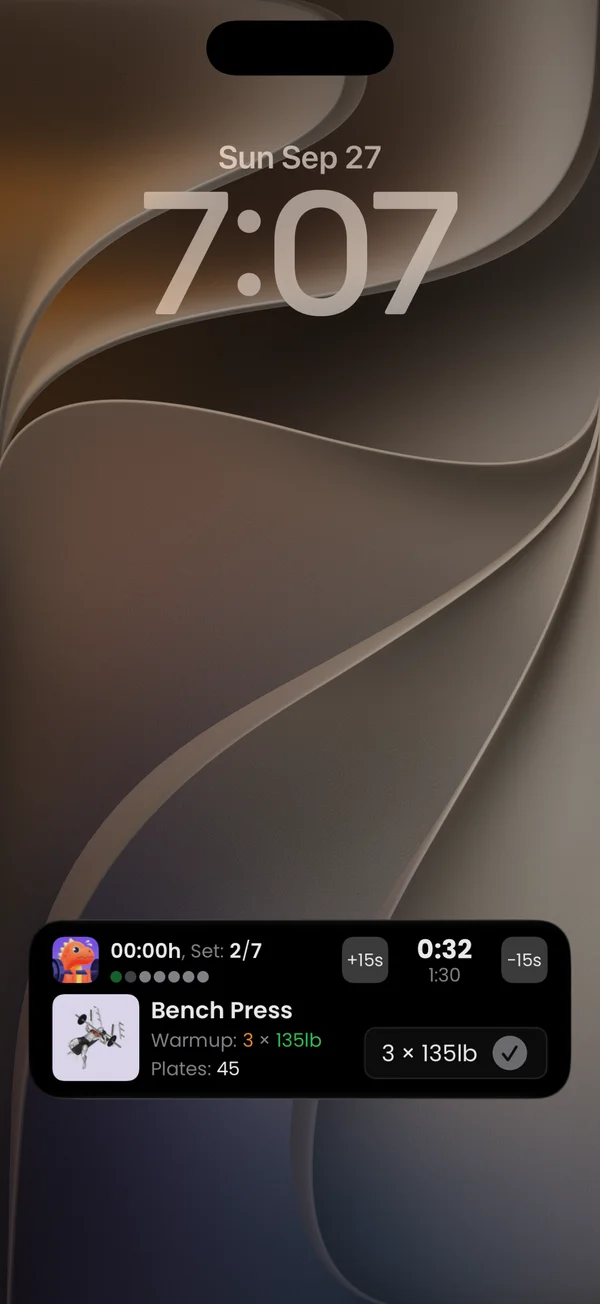 Lock Screen, Notifications and AudioComplete sets and adjust rest from the iOS Live Activity, Dynamic Island or Android Live Update, and get a notification with the next set and plates.
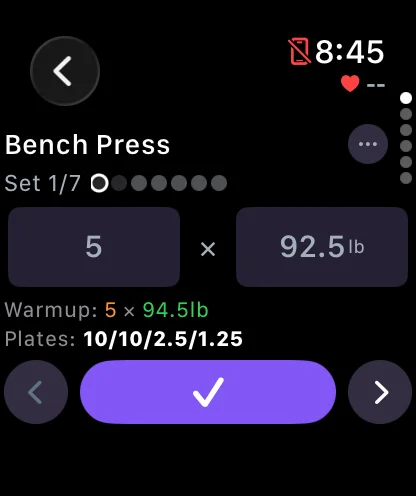 Apple WatchRun your workout from your wrist. Log sets with the Digital Crown, answer AMRAP and RPE prompts, run timed sets and see your heart rate.
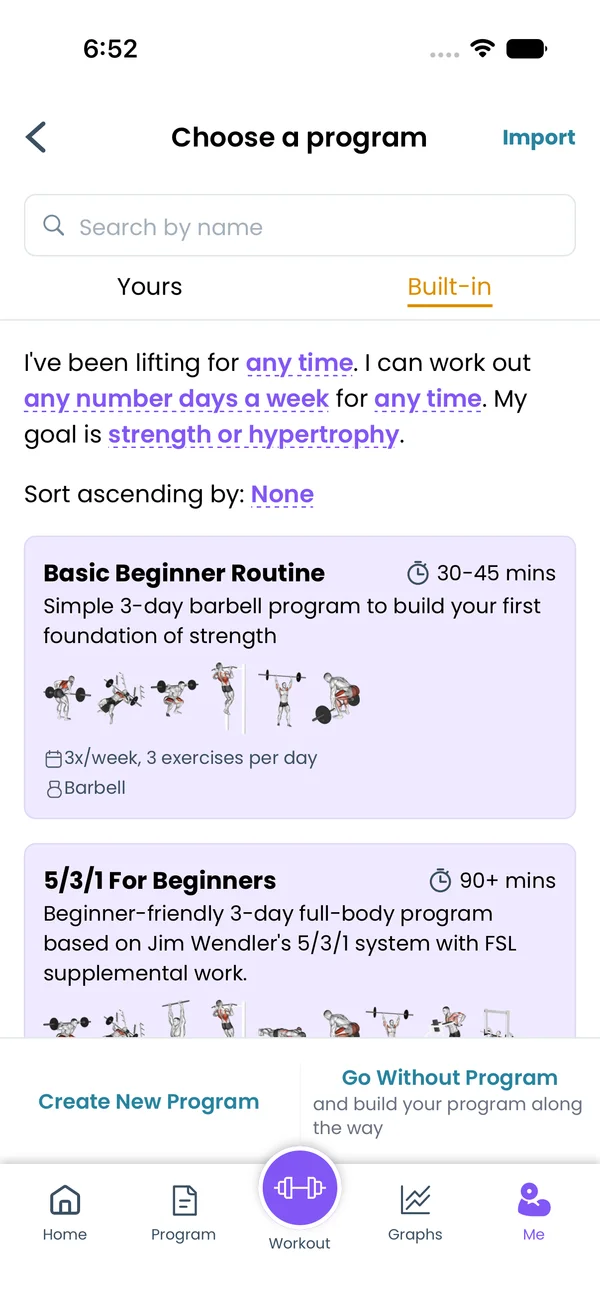 Built-in ProgramsAbout 60 popular programs like GZCLP, 5/3/1, Starting Strength and PHUL. Filter by experience, days a week and goal, preview every day, start with one tap.
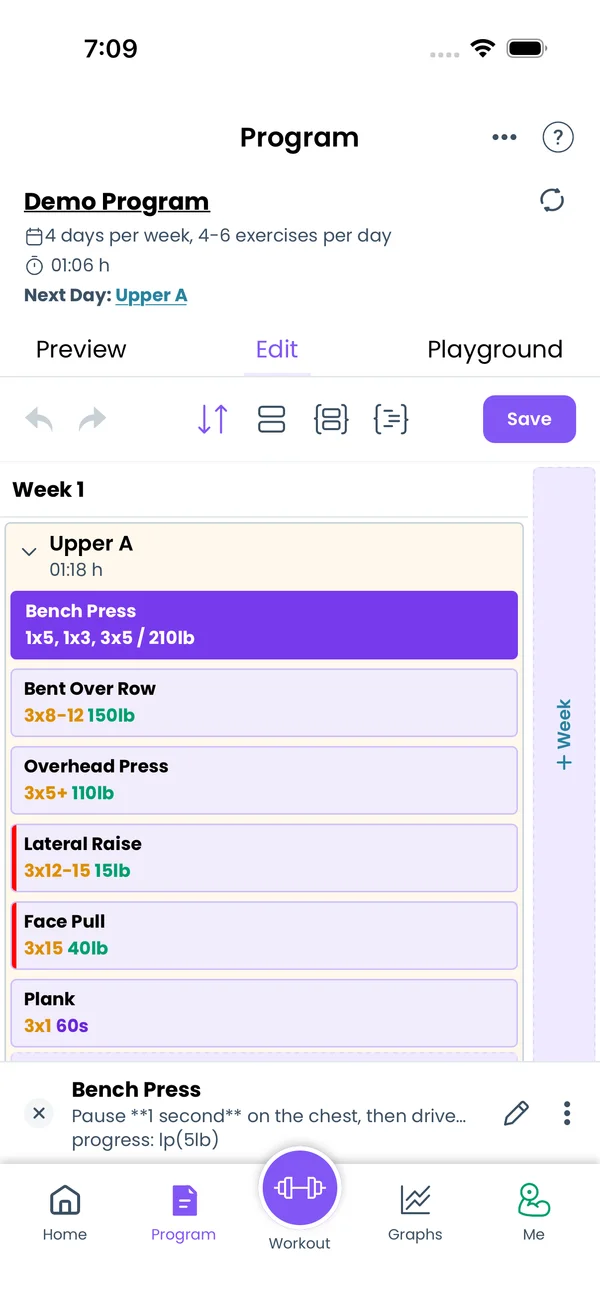 Program EditorBuild a program on a calendar grid, in a per-day UI, or as Liftoscript text. Edit sets, reps, weight, RPE and timers, and go back to any earlier version.
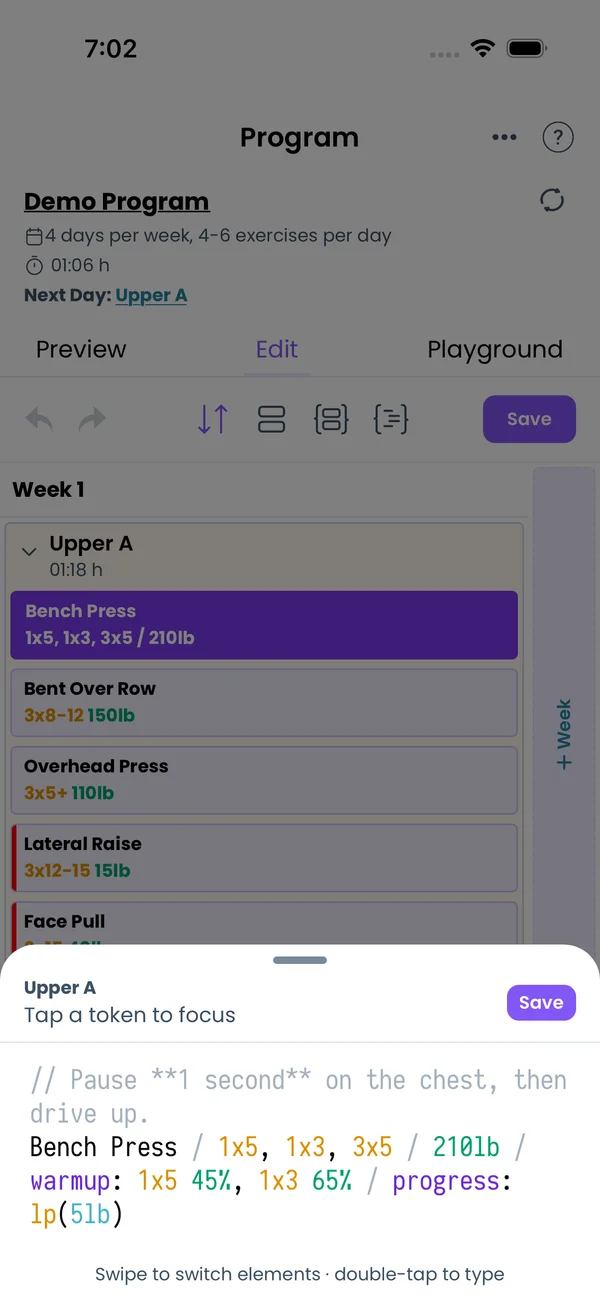 LiftoscriptWrite a program as text: one line per exercise with sets, reps, weight, 1RM percentages and RPE. Split it into weeks and days, and reuse lines.
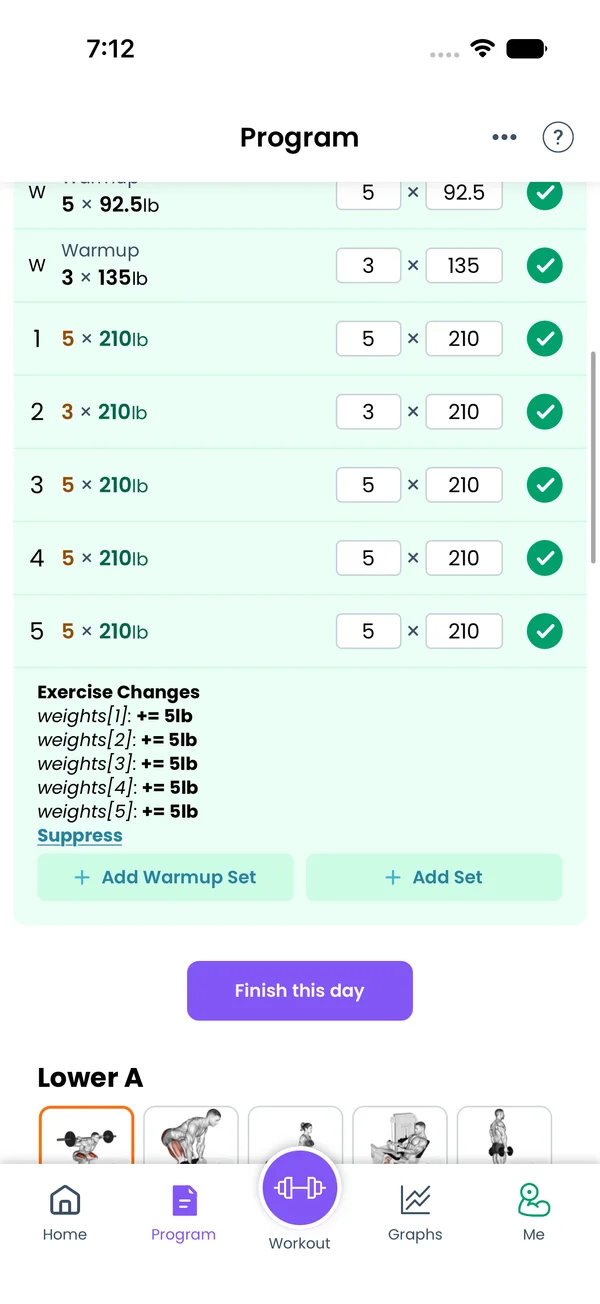 Progressions and StateTell the app how to add weight or reps over time. Pick a built-in linear, double or sum-of-reps progression, or write your own script with state variables.
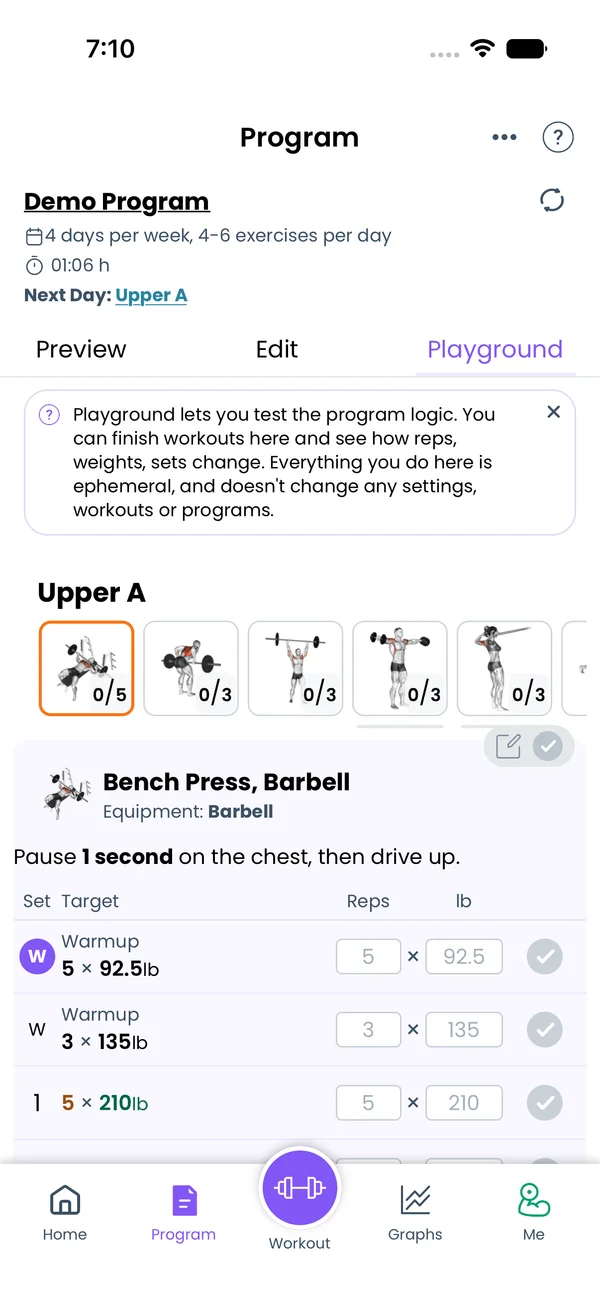 PlaygroundSimulate workouts to see how weights, reps and state variables change from week to week. Nothing you do there touches your history, settings or program.Editing on DesktopWrite your program in a browser with a full keyboard, autocomplete and weekly volume stats, then send it to the phone with one link.
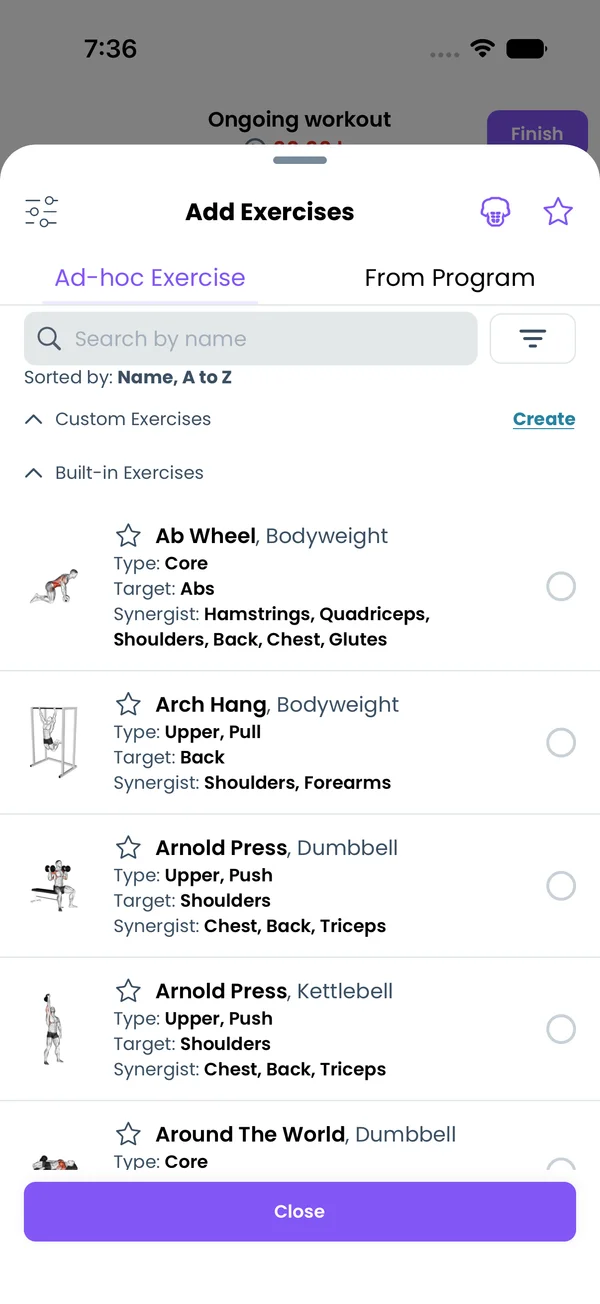 ExercisesHundreds of built-in exercises with muscle maps. Search, filter by equipment and muscle, swap mid-workout, and open each one's history, records and 1RM.
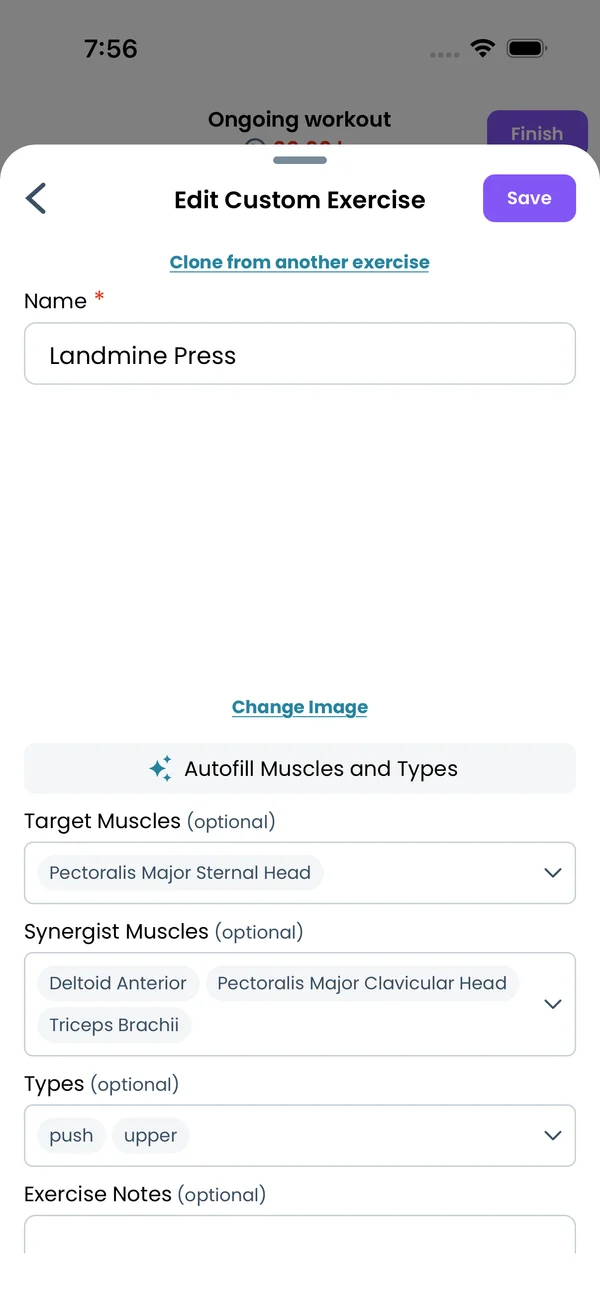 Custom Exercises and Muscle GroupsAdd exercises missing from the built-in list, with muscles, types, notes and an image. Let AI fill the muscles, and split or hide muscle groups.
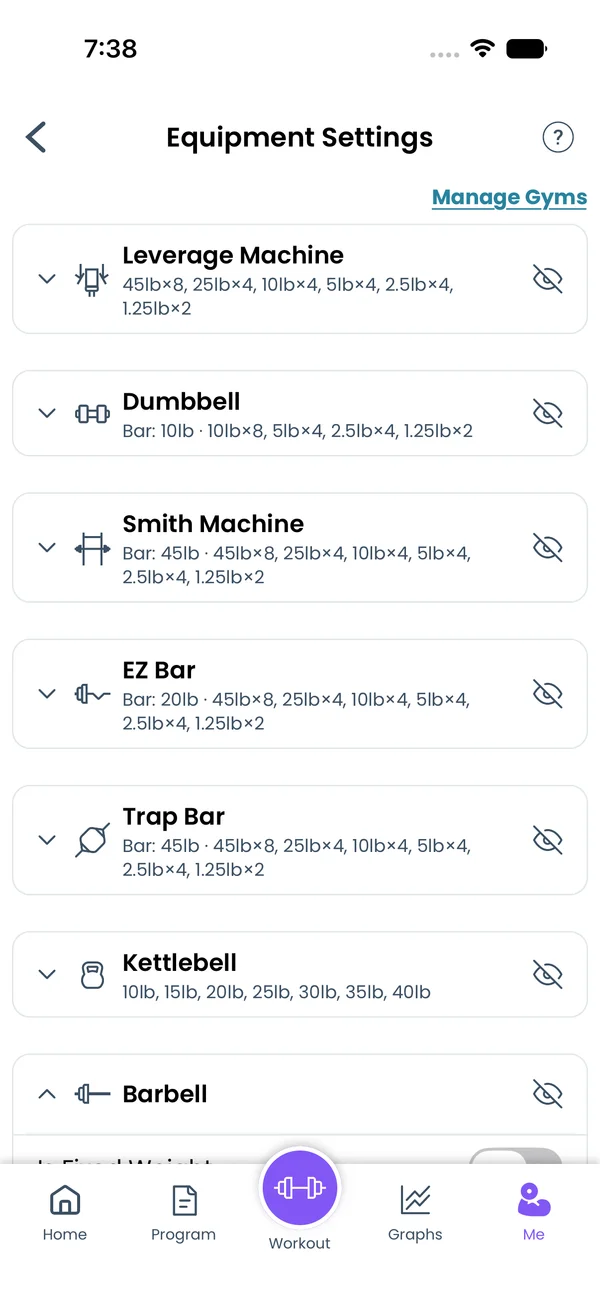 Equipment, Plates and GymsTell Liftosaur what bar, plates and fixed weights you have, and it rounds every target weight to what you can load. Keep a separate equipment list for each gym.
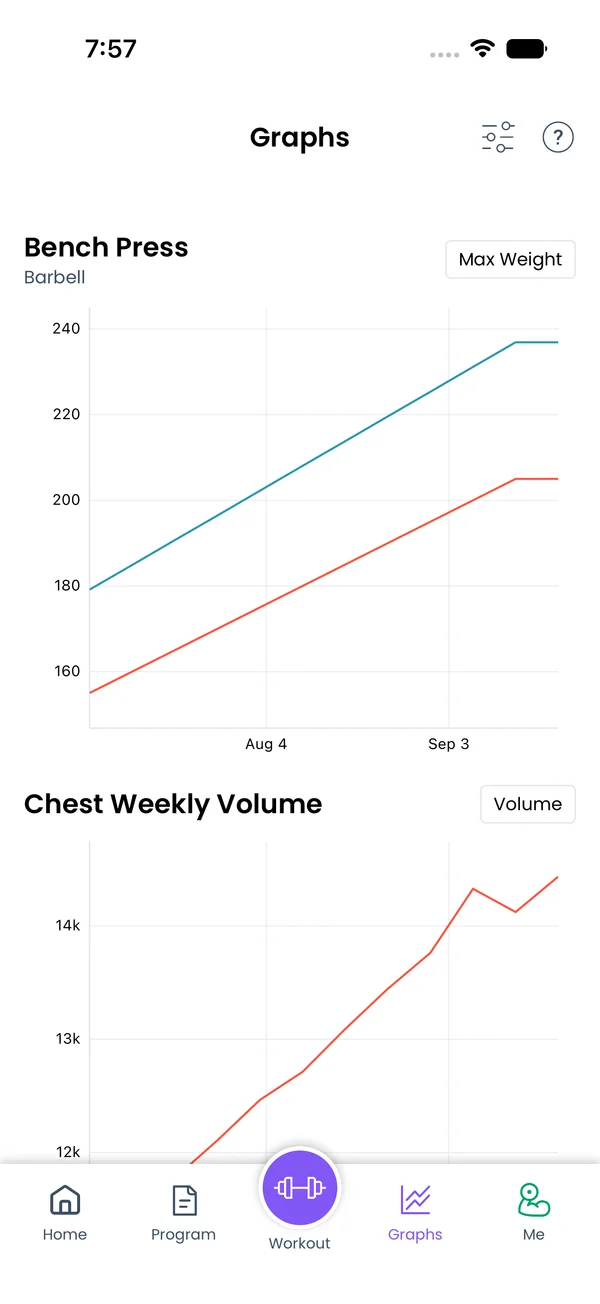 GraphsSee max weight, volume and estimated 1RM per exercise, weekly volume per muscle group, and bodyweight. Long-press a point to see the workout behind it.
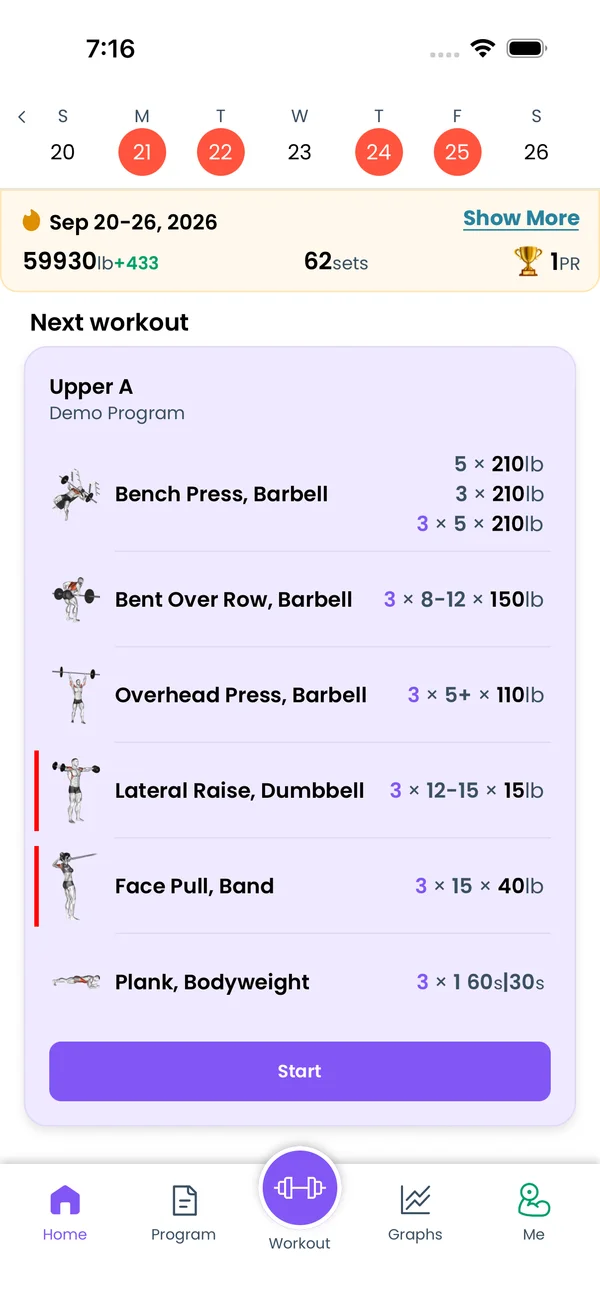 Week InsightsSee this week's total sets, volume, PRs, strength and hypertrophy split, and sets per muscle group against your target range. Tap a number for details.
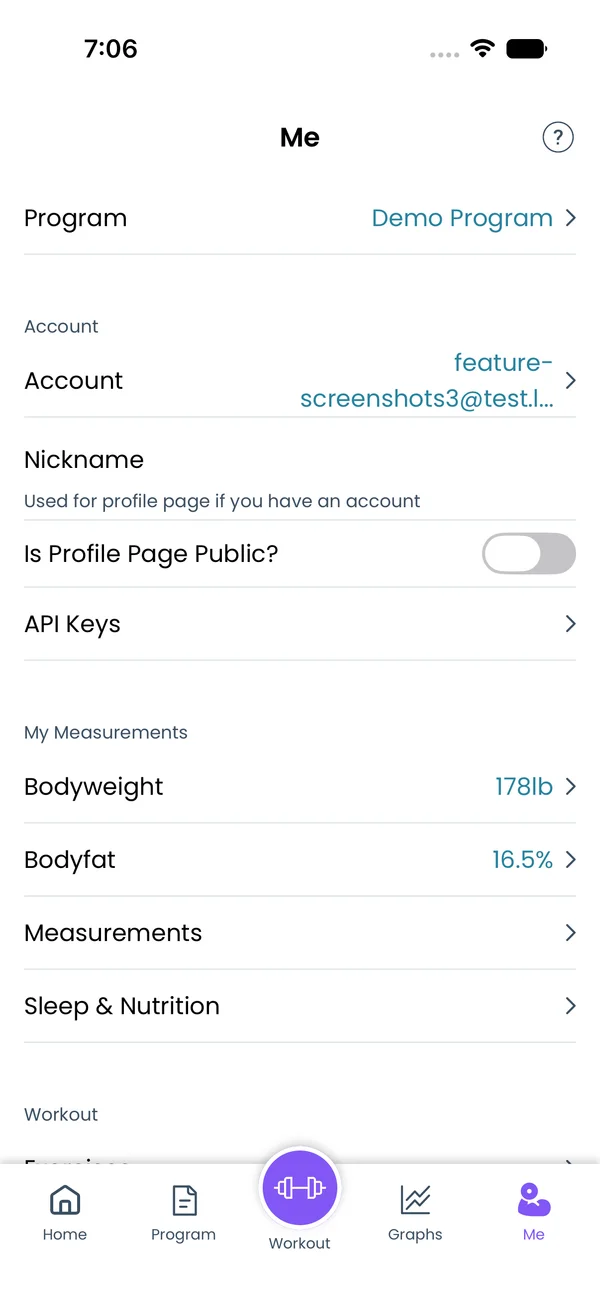 Measurements, Sleep and NutritionLog bodyweight, body fat and 13 body sites, with a moving average graph, and see sleep, calories and protein from Apple Health or Health Connect.
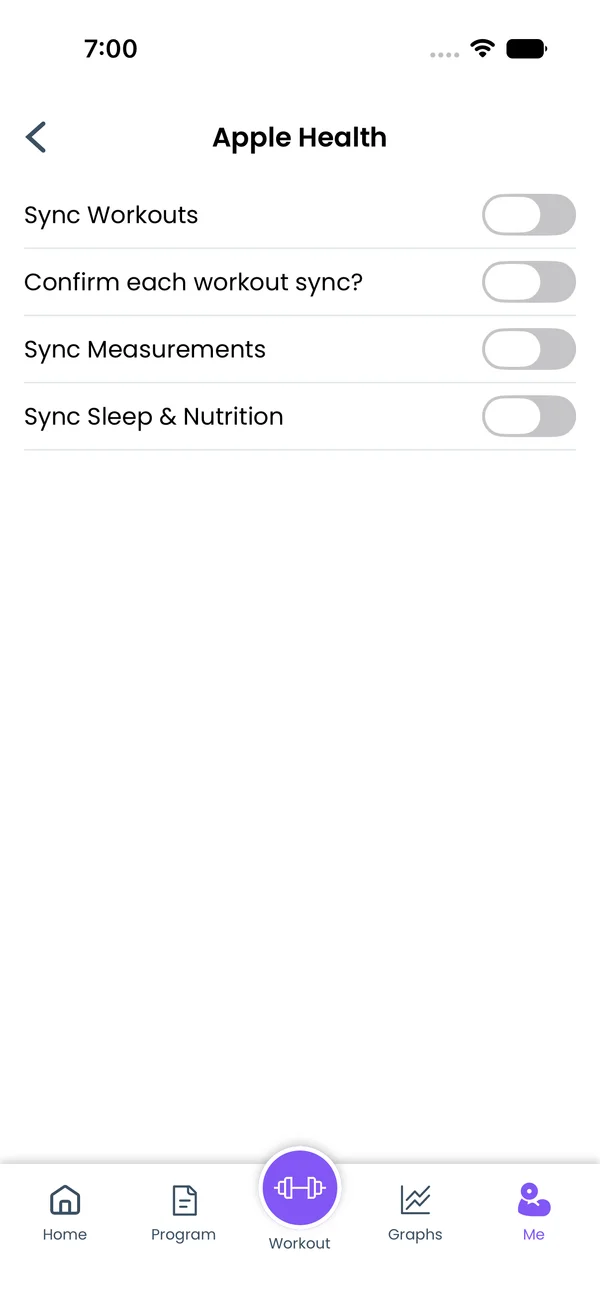 Apple Health and Health ConnectSend finished workouts and body measurements to Apple Health or Health Connect, and read bodyweight, body fat, sleep, calories and protein back into the app.
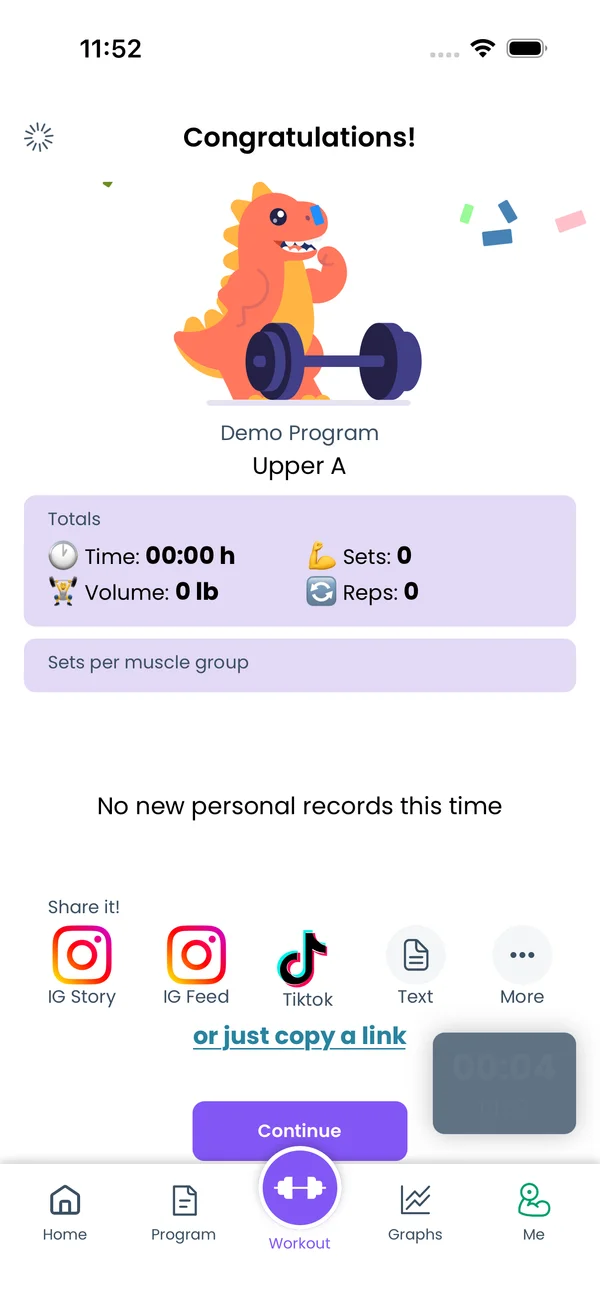 Sharing WorkoutsPost a finished workout to Instagram Story, Feed or TikTok as an image, share it anywhere, copy it as text or a link, or show it on a public profile page.
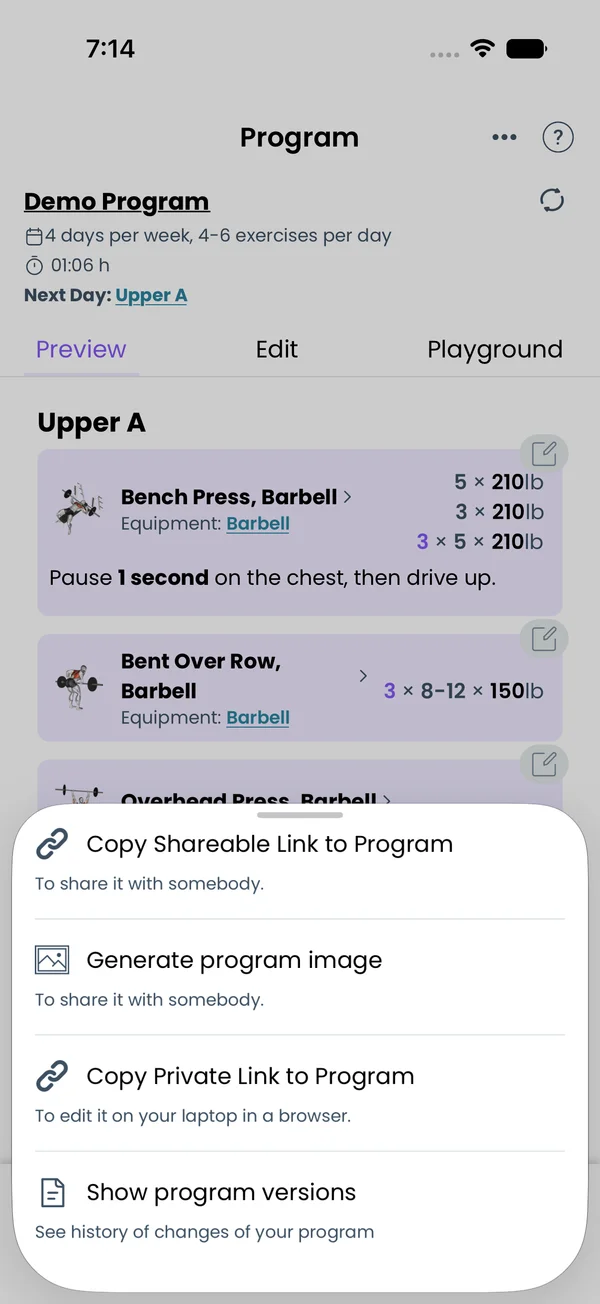 Sharing ProgramsCopy a public link to any program, generate an image with a QR code, or grab a private link to edit it on your laptop. Anyone with the link can add it.
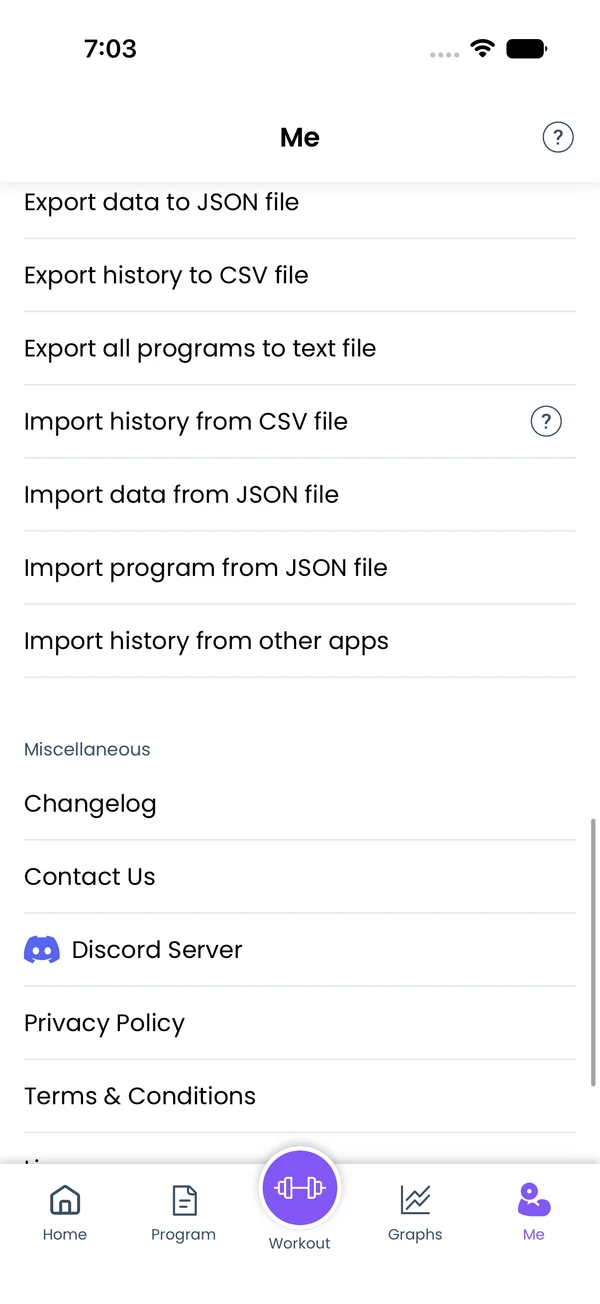 Import and ExportImport workout history from Hevy or a CSV file, with a preview and undo. Export everything as JSON, your history as CSV, or your programs as text.
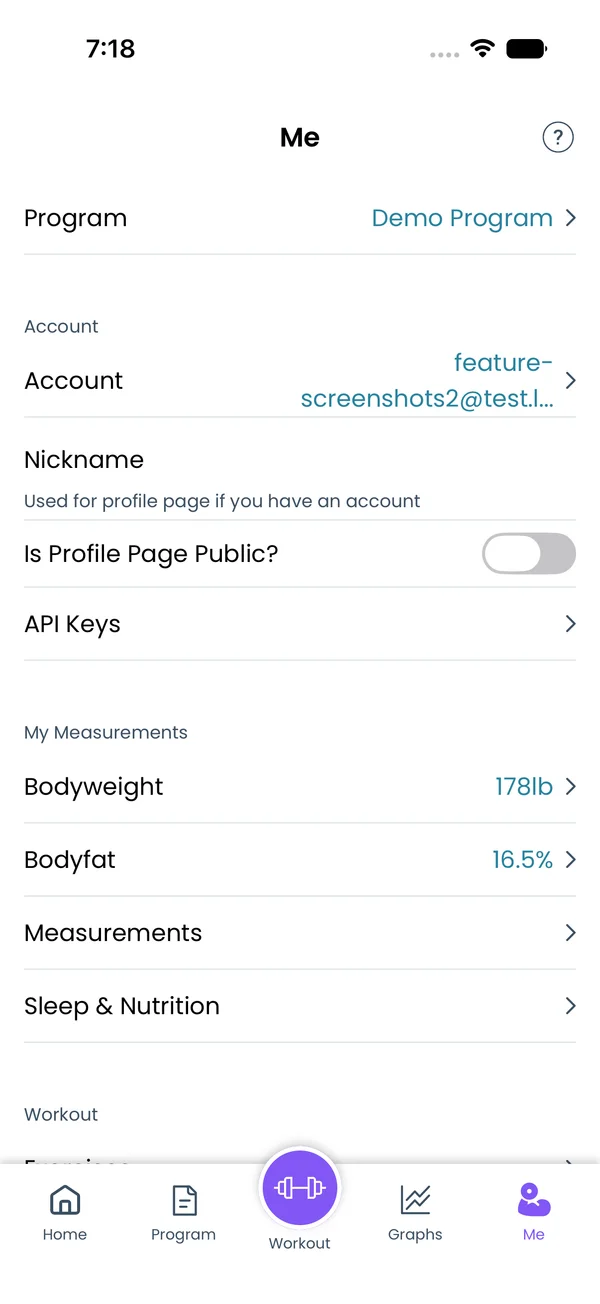 Sync and OfflineSign in once and your workouts, programs and settings follow you across iOS, Android and web. Train offline and sync when you are back online.
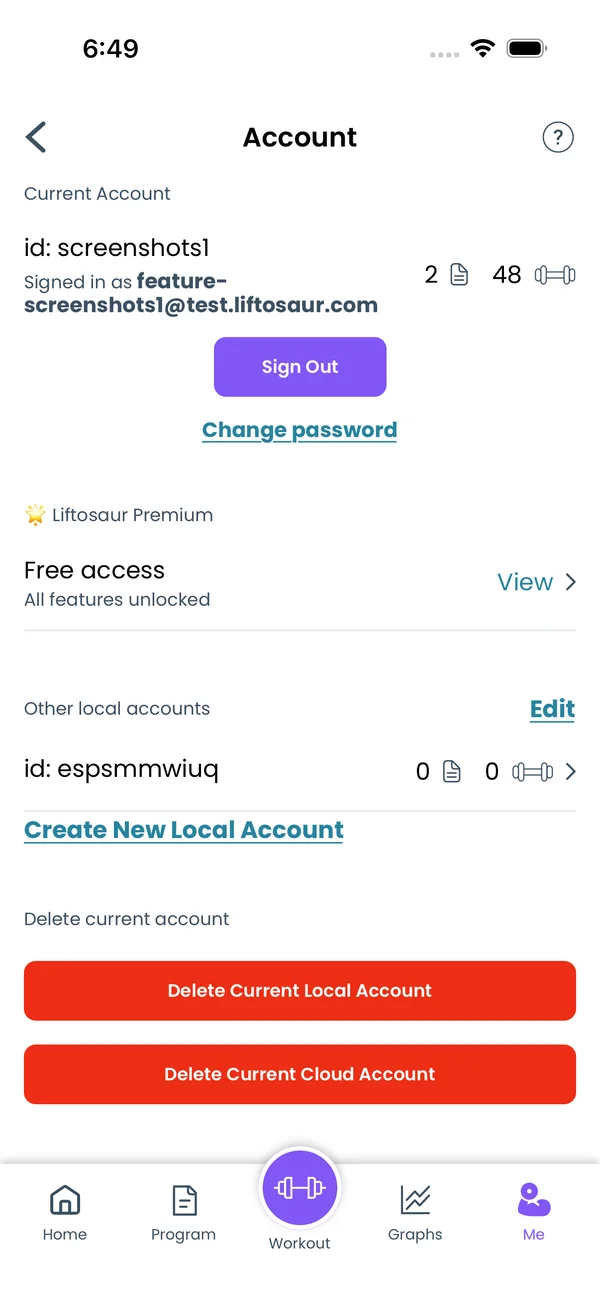 Account and Sign-inSign in with Apple, Google or email to sync workouts, share links and keep Premium on every device. Keep several local accounts on one phone.
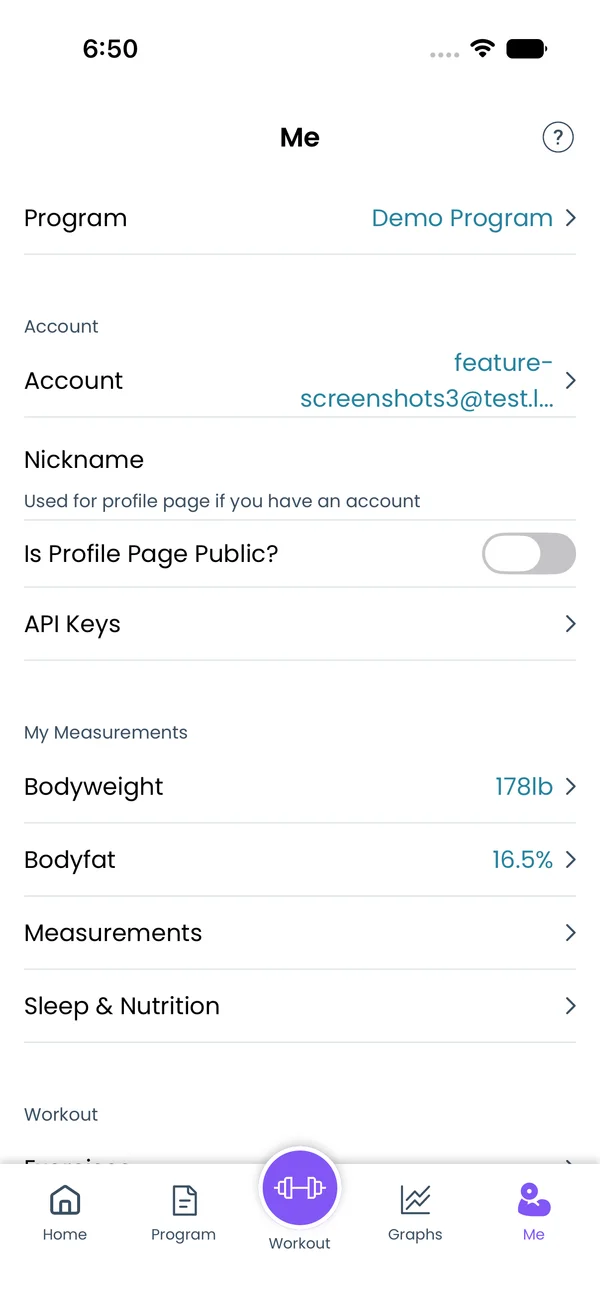 APICreate an API key in the app, then read and write programs, history, measurements and equipment from any script. Run whole workouts through the engine.